
Voicemail Tool
Turns an office phone system's voicemail into a searchable, AI-triaged inbox
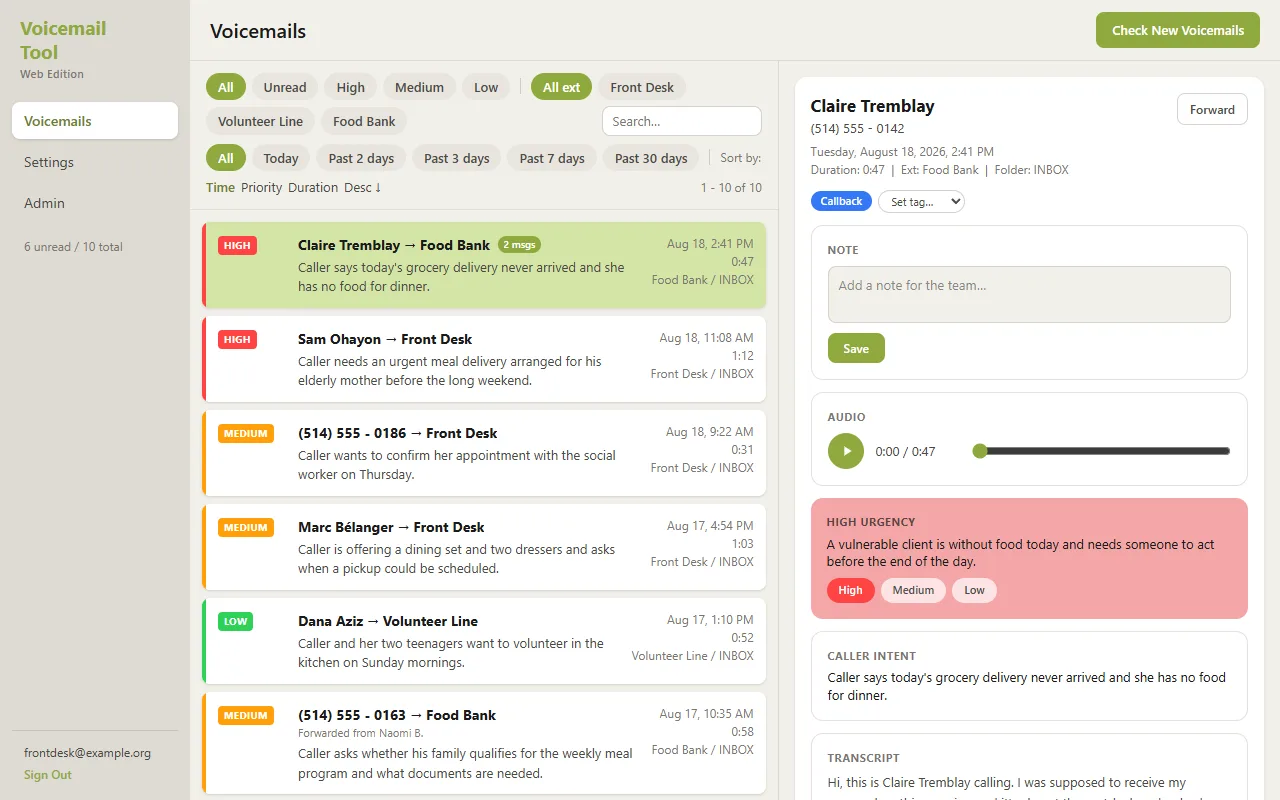
Staff read voicemails instead of dialing in: every message is transcribed, summarized into a one-line caller intent, and ranked High / Medium / Low with AI so urgent calls get answered first. Tags, notes, forwarding and per-extension access included.
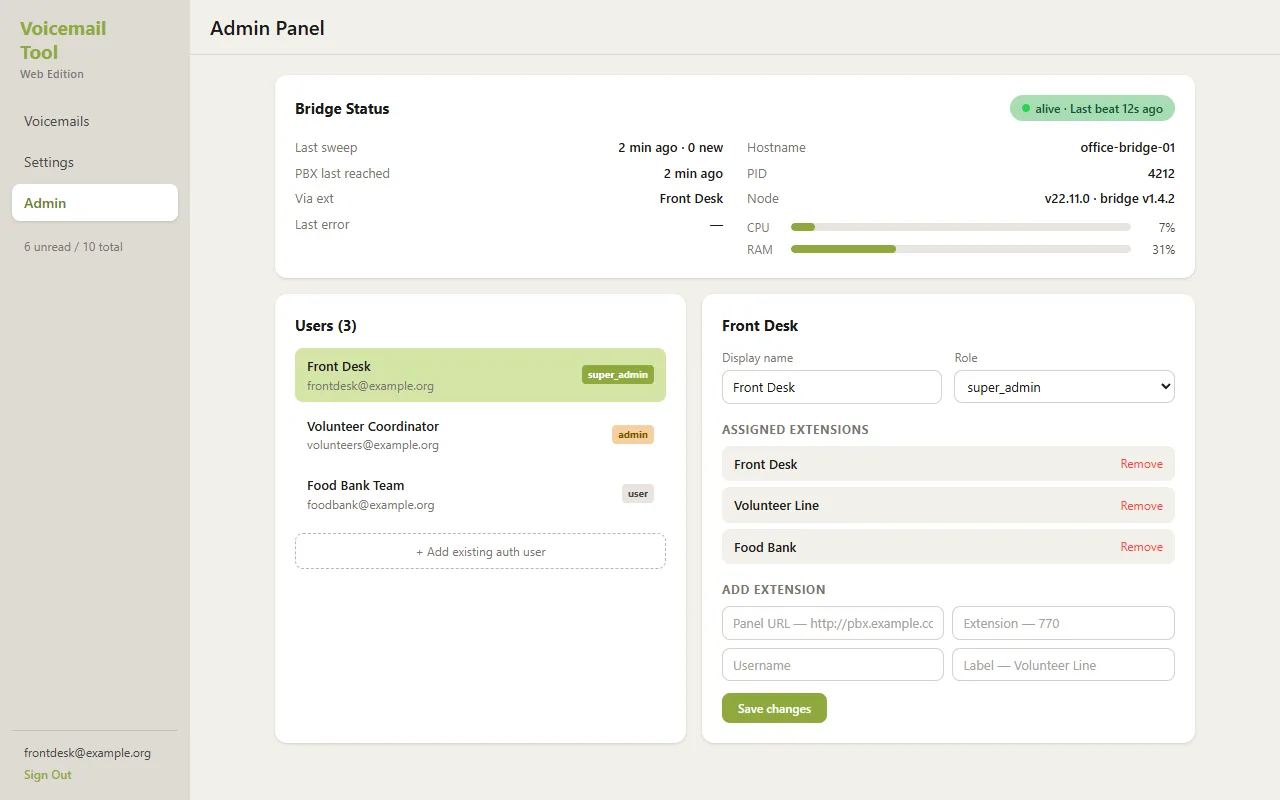
Voicemails start on the organization's own phone system, which is not exposed to the internet. A small bridge program on an office computer collects new messages and uploads the audio to cloud storage, then reports its own health — heartbeats, CPU and memory — to an admin panel so anyone can see at a glance that the pipeline is alive.
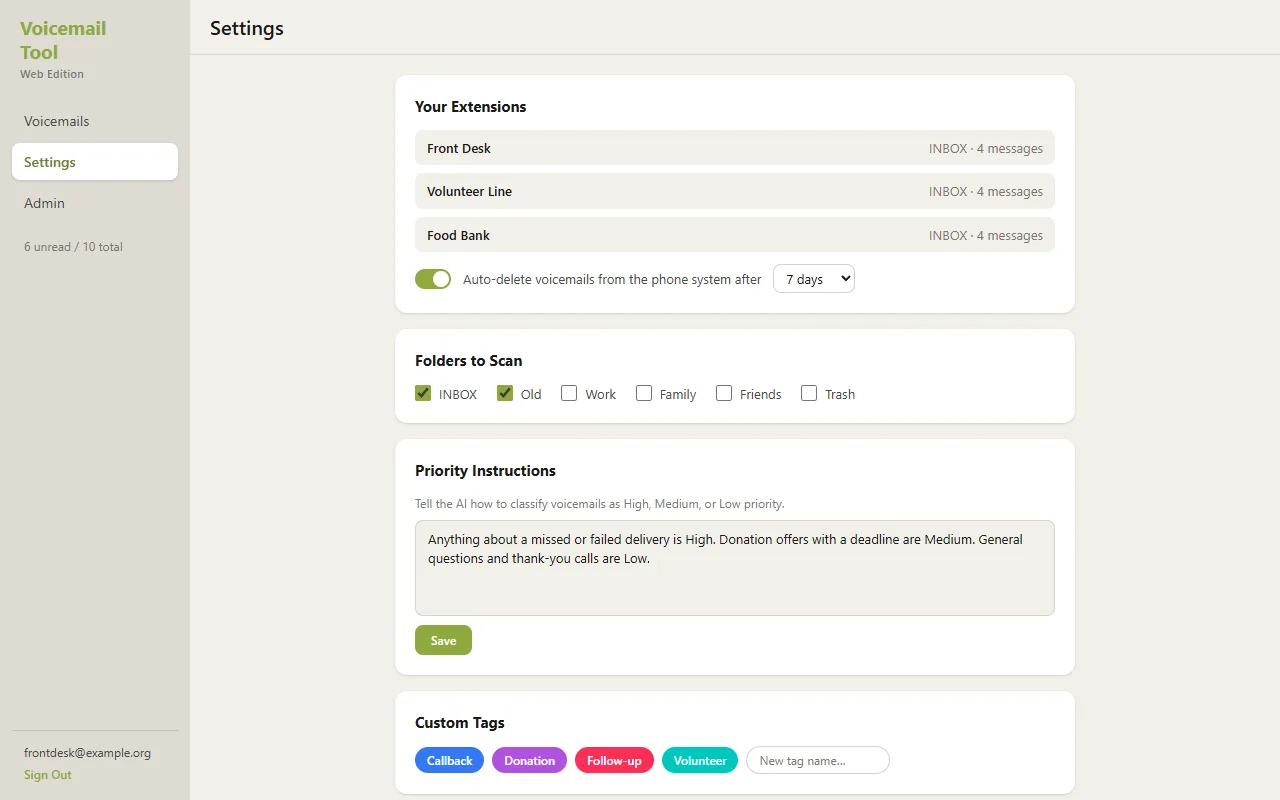
Each message is transcribed by a speech-to-text service that handles multiple languages, and an AI model condenses the transcript into a one-line caller intent plus an urgency — High, Medium or Low — with the reason spelled out. Staff can steer the triage in plain English: write "calls about missed deliveries are always High" in the settings and the AI follows it.
The inbox itself is a server-rendered TypeScript app on an SQL database with per-user access rules: each staff member sees only the extensions assigned to them, and shared lines can be visible to a whole team. Filters by urgency, date and tag, notes, forwarding and mark-as-read replace dialing into the voicemail box entirely. Accounts are created by an admin — there is no public sign-up.
What you get with a project like this
- Voicemails you read like email — with the audio one click away
- A transcript, a one-line caller intent and an urgency for every message
- Plain-English instructions to tune what counts as urgent
- Tags, notes, forwarding and read/unread — triage as a team
- Per-extension access: staff see only the lines assigned to them
- An admin panel with pipeline health and user management
- The phone system itself stays completely off the internet
Every moving part, in plain language.
Follow the arrows from the person using it to where the data lives. Hover any box to see what it talks to.
Where messages are read, tagged and marked done.
Draws the inbox and enforces who may see which extension.
Turns each recording into text, in whatever language it was left in.
Writes the one-line intent and picks High / Medium / Low, following the team's instructions.
Messages, transcripts, users and the audio itself.
Collects new voicemails from the phone system, uploads them and reports its own health.
Where callers actually leave the messages. Never exposed to the internet.
What it costs to keep this online.
Building is a one-time price. Running it is a separate, usually tiny, monthly amount — here is where every dollar goes.
| Part | Per month | Notes |
|---|---|---|
Website server Scales to zero when idle. | $5 | Scales to zero when idle. |
Database & audio storage Managed SQL database plus file storage for the recordings. | $25 | Managed SQL database plus file storage for the recordings. |
Transcription & AI triage Pay per message — pennies each at a community center's volume. | $5 | Pay per message — pennies each at a community center's volume. |
Bridge server The small always-on machine next to the phone system that collects the voicemails. | $8 | The small always-on machine next to the phone system that collects the voicemails. |
| Total | ≈ $43 / month | |
Full-size demo.
Want something like this?
Describe what is different about your situation and you will get an honest range and a plan.
Tell me about your project